
Hi, this isn't a problem per se, more of a request 🙂
In other forums that use the same vBulletin software as here, people are able to upload images & ALSO place them Exactly where they require for better clarity etc in their posts, eg:
Text ..............
View attachment 451032
Text ..............
View attachment 451033
Text ..............
View attachment 451034
All we need to do is copy/paste the code that is displayed after uploading, into the post, as above.
I know there is a 3 image inclusion limit per post on here, though other forums do allow more.
Could Admin etc consider changing things at your end, to enable us to do this from now on ? I believe it would help to allow the posts/info to flow & be followed/digested etc in a much more linear way.
TIA
Regards
In other forums that use the same vBulletin software as here, people are able to upload images & ALSO place them Exactly where they require for better clarity etc in their posts, eg:
Text ..............
View attachment 451032
Text ..............
View attachment 451033
Text ..............
View attachment 451034
All we need to do is copy/paste the code that is displayed after uploading, into the post, as above.
I know there is a 3 image inclusion limit per post on here, though other forums do allow more.
Could Admin etc consider changing things at your end, to enable us to do this from now on ? I believe it would help to allow the posts/info to flow & be followed/digested etc in a much more linear way.
TIA
Regards
Attachments
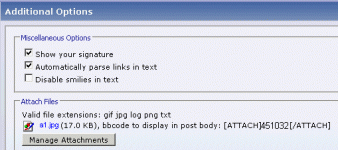

Hi, I will ask the owner if that is something we can do.
As far as three posts go, all you have to do is upload the first three and then start again before you post. Like this:
As far as three posts go, all you have to do is upload the first three and then start again before you post. Like this:
Attachments

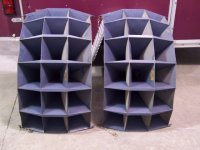
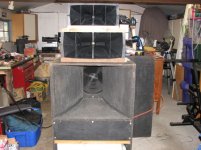


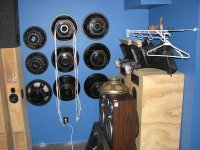
Thanks
@ Cal Weldon
Brilliant 🙂 I believe it will be Very worthwhile.
Ahh, now i see 😉 I wonder why it doesn't show more upload options initially ?
Regards
@ Cal Weldon
I will ask the owner if that is something we can do.
Brilliant 🙂 I believe it will be Very worthwhile.
As far as three posts go, all you have to do is upload the first three and then start again before you post
Ahh, now i see 😉 I wonder why it doesn't show more upload options initially ?
Regards

@ Jason
Hi, indeed it does, Thanks 🙂
What about the other part of my request though, for the inline placement code to be included after uploading ?
TIA
It now shows 10.
Hi, indeed it does, Thanks 🙂
What about the other part of my request though, for the inline placement code to be included after uploading ?
TIA
I'll see if we can improve our editor before we "cross the chasm" of upgrading to an entirely new forum platform (which isn't far off now)...
Really you're asking for a WYSIWYG image editor, and I don't think there are any decent drop in solutions for vBulletin.
Really you're asking for a WYSIWYG image editor, and I don't think there are any decent drop in solutions for vBulletin.
Last edited:
SORTED
@ Jason
I wonder why ? as vB looks Pro, is easy to use etc.
***********
Placing Att's inline now SOLVED 🙂 Thanks to some kind advice from an Admin on another vB forum.
TEST
Text
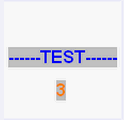
Text
Text
Etc etc
How to do it 😉
After uploading right click on the Att name you see, copy/paste the attachmentid number from the URL where you want it to appear. Do that for every Att. you want to post, Preview & make sure it appears as you require, then Post.
🙂🙂🙂
@ Jason
upgrading to an entirely new forum platform (which isn't far off now)...
I wonder why ? as vB looks Pro, is easy to use etc.
***********
Placing Att's inline now SOLVED 🙂 Thanks to some kind advice from an Admin on another vB forum.
TEST
Text
Text
Text
Etc etc
How to do it 😉
After uploading right click on the Att name you see, copy/paste the attachmentid number from the URL where you want it to appear. Do that for every Att. you want to post, Preview & make sure it appears as you require, then Post.
🙂🙂🙂
EXTRA Info
Hi, i should hsve also shown that you need to also include the vB code DIRECTLY before & after the attachmentid number like this

Don't forget the Backslash 😉
See my post in here for 3 Att screenies i posted inline this way.
http://www.diyaudio.com/forums/subw...o-15-inch-ht-linkwitz-transform-new-post.html
You can do the same for Any allowed Att. & also seperate each Att with text if you like 🙂
Hi, i should hsve also shown that you need to also include the vB code DIRECTLY before & after the attachmentid number like this
Don't forget the Backslash 😉
See my post in here for 3 Att screenies i posted inline this way.
http://www.diyaudio.com/forums/subw...o-15-inch-ht-linkwitz-transform-new-post.html
You can do the same for Any allowed Att. & also seperate each Att with text if you like 🙂
- Status
- Not open for further replies.
- Home
- Site
- Forum Problems & Feedback
- Placing images in posts ?